Kanba. A Kanban board with nothing to set up.
No account. No ads. Works offline. Syncs with iCloud.
Download on the App Store
Free to download.
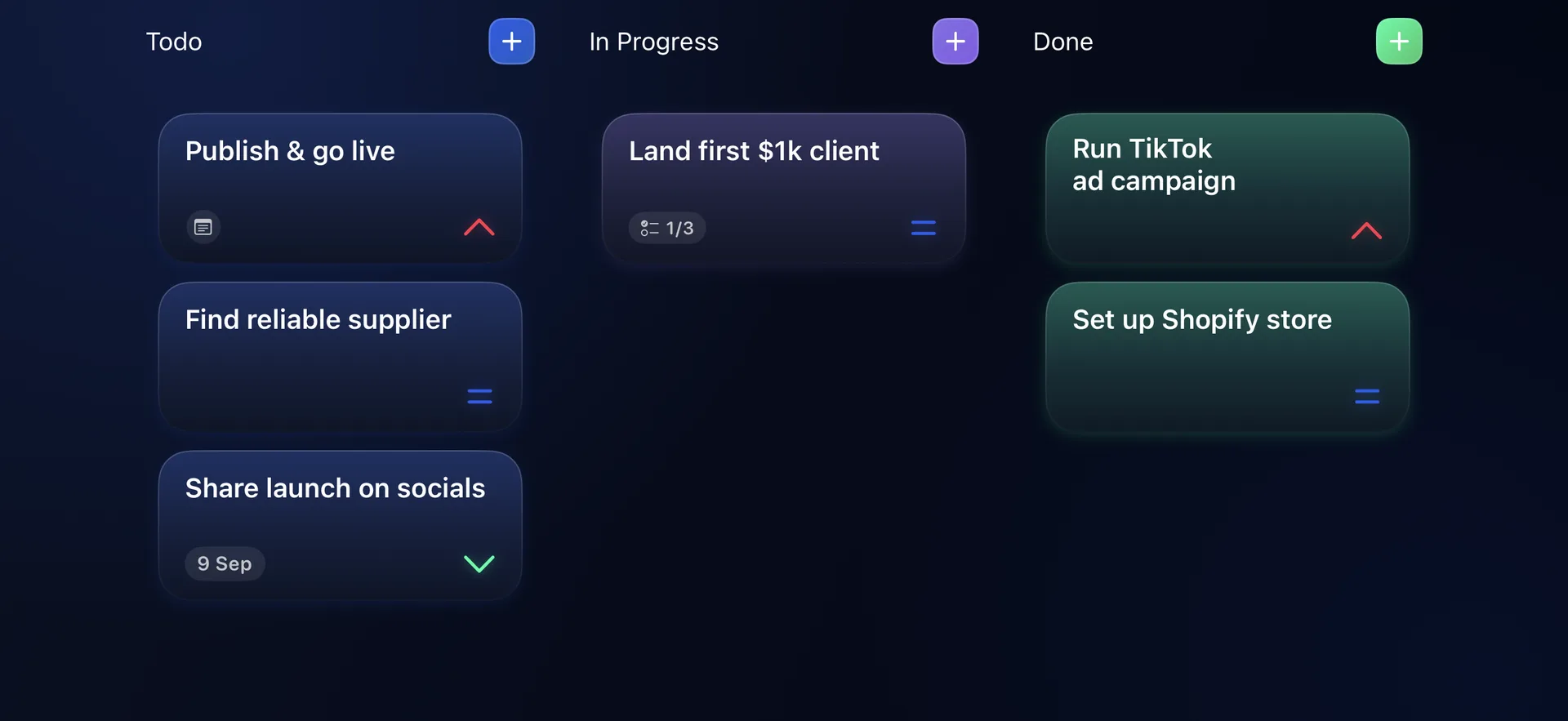
Step 1: See the whole board.
Turn your iPhone sideways and Todo, In Progress and Done sit side by side. Every task, one glance.
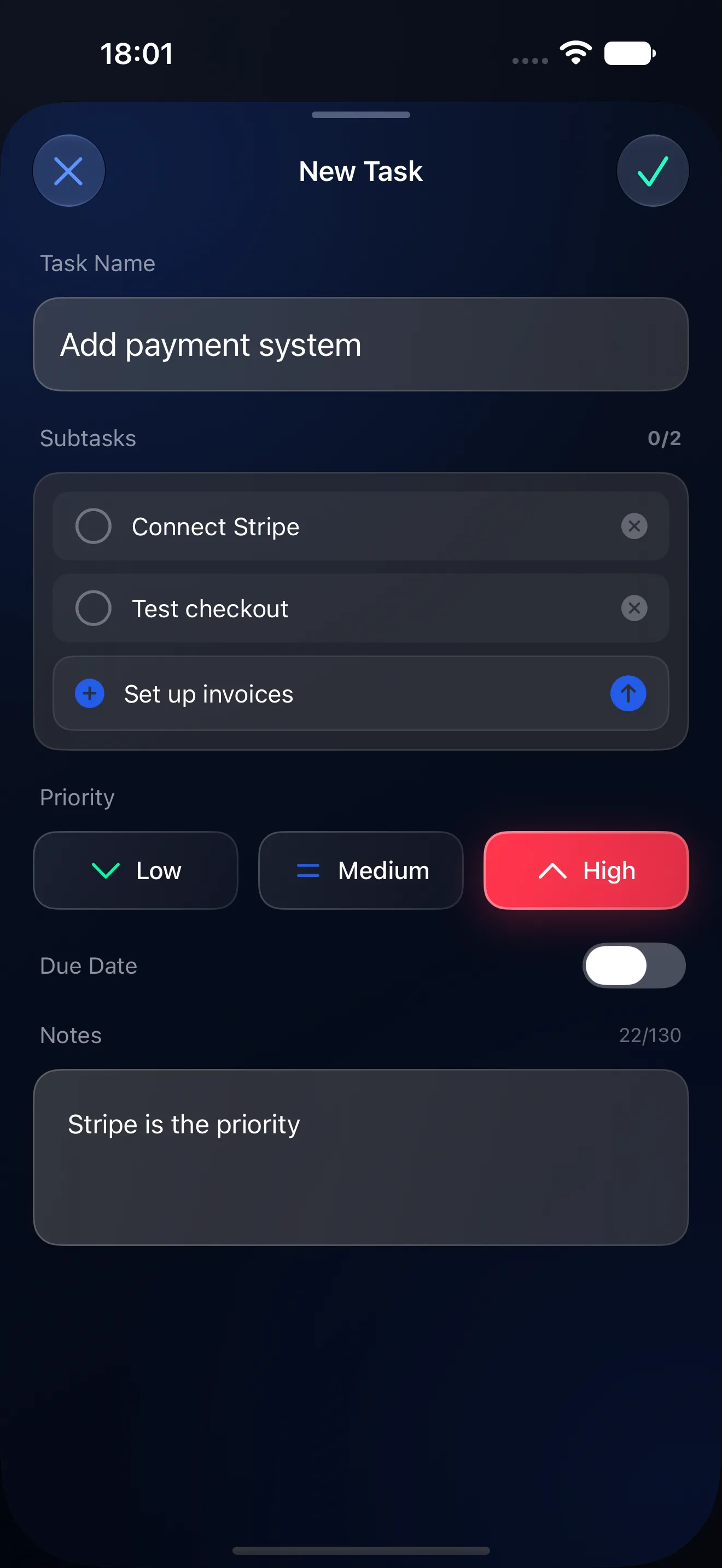
Step 2: Add a task.
A name, a few subtasks, a priority. Three taps, nothing to configure.
Step 3: Move it to Done.
Drag a task from Todo into In Progress, then into Done. That is the whole workflow.
Finished model.
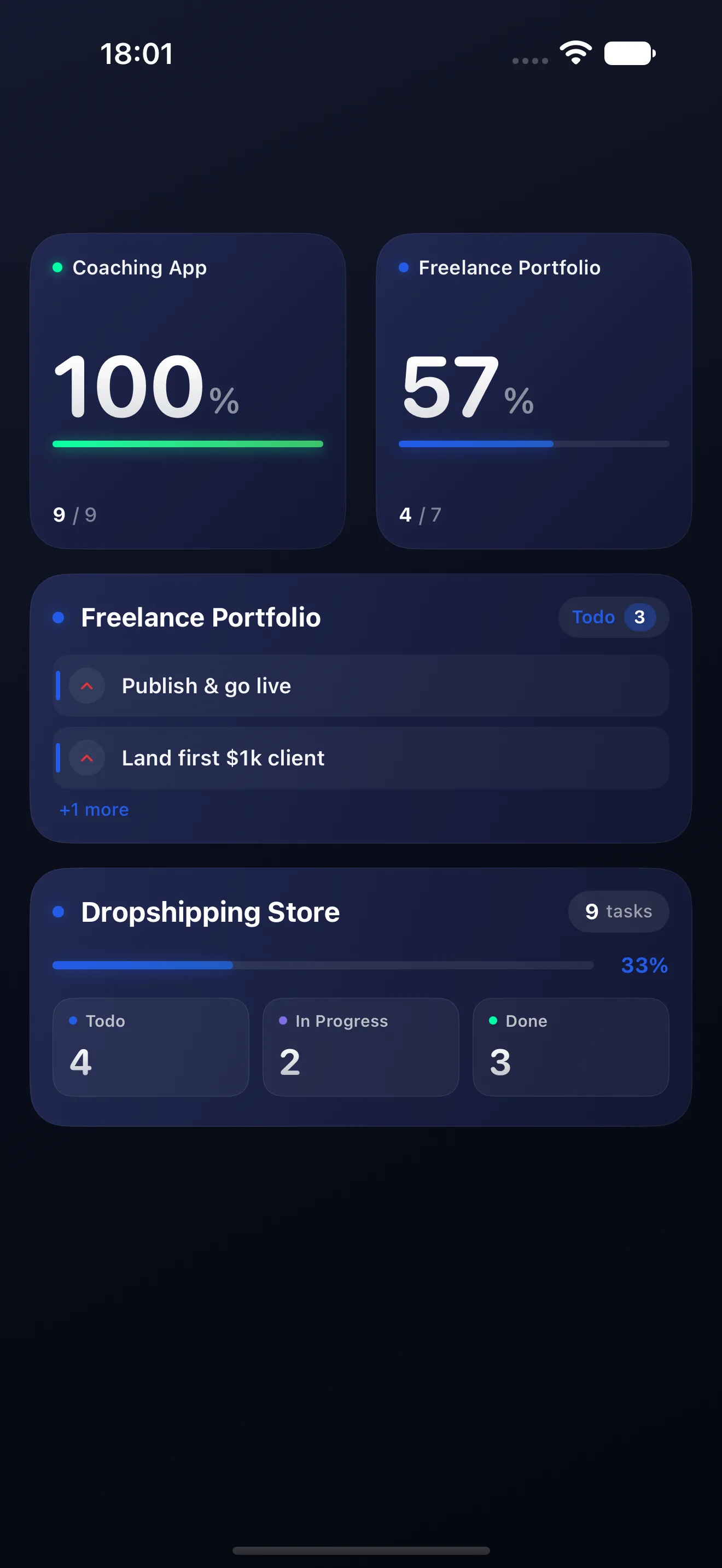
Your projects, on your home screen. Widgets keep progress in view without opening the app, and every board follows you to iPad, Mac and Apple Vision through iCloud.
- 2,000+
- tasks created
- 1,000+
- projects created
- 60+
- countries and regions
Counted from tasks created in Kanba, September 2026.
Also in the box.
Everything Kanba ships with, and the two things it deliberately leaves out.
- Ads
Nothing interrupts the board.×0 - Accounts
No sign-in, ever. iCloud keeps it yours.×0 - Works offline
Every task is on your device first.included - iCloud sync
Same boards on iPhone, iPad, Mac and Apple Vision.included - Languages
Kanba speaks yours.×32 - Devices
iPhone, iPad, Mac, Apple Vision.×4 - Dark mode
The board you saw above is the real one.included - Widgets
Small, medium and large, on your home screen.×3